Tracking plan around one core feature — Inbox Zero
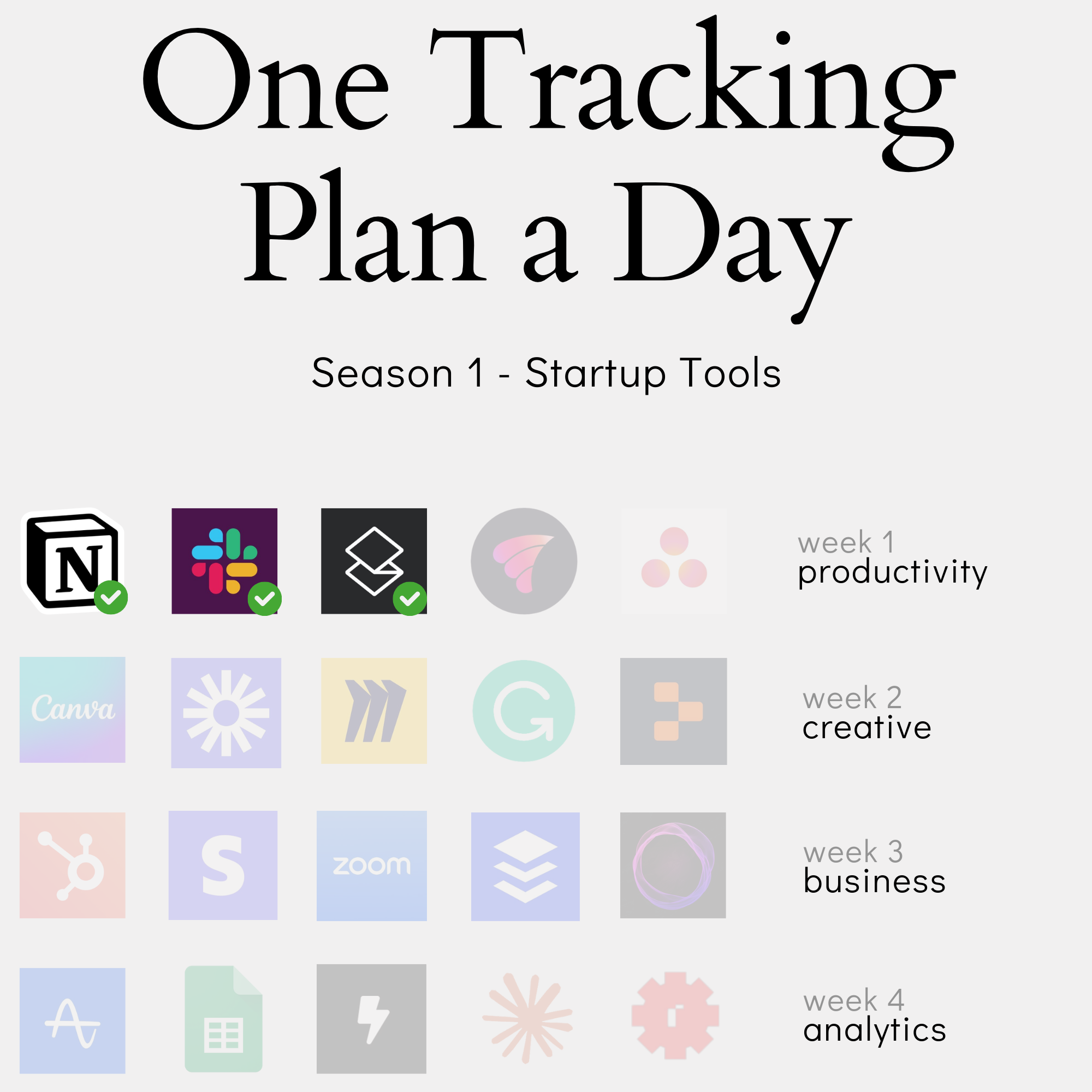
In this content series - season 1, I create a tracking plan for a typical start-up tool every day for four weeks (I take a break on the weekend), so 20 in total. This is the second one: Superhuman. Here is the season overview:
Imagine spending months meticulously tracking every click, scroll, and interaction in your product, only to realize you’ve missed the one metric that truly matters. This is exactly what happens when teams build tracking plans without anchoring them to their product’s core promise. For Superhuman, that promise is the Zero Inbox - yet many analytics implementations would treat this as just another feature rather than the foundation of the entire user experience.
In this post, we’ll explore how to build a tracking plan that puts your product’s core promise at the center, using Superhuman’s Zero Inbox as our guide. Whether you’re a product manager, analytics engineer, or growth professional, you’ll learn how to move beyond surface-level metrics to create a tracking plan that truly measures product success.
From Product Promise to Event Design: Why Zero Inbox Shapes Superhuman’s Tracking Strategy
Understanding Zero Inbox as More Than a Feature
When building a tracking plan for Superhuman, the first instinct might be to track every click, every folder interaction, and every email processed. But this misses the fundamental promise that makes Superhuman different from traditional email clients.
As I mentioned in the video: “The whole promise of Superhuman is to get you to Inbox Zero. At least it was when they got started. I think now it basically got a little bit pushed aside with other things. But when they got started, the most important thing is like - this tool is the perfect one to really get you to inbox zero.”
This core promise shapes everything about how users interact with the product:
- The keyboard shortcuts aren’t just for efficiency - they’re designed to help process emails faster toward Zero Inbox
- Snoozing emails isn’t merely a convenience feature - it’s a strategic tool to maintain inbox zero while handling emails that need attention later
- Even the UI design, showing a clean list of emails without preview panes, supports quick decision-making about each email
Traditional email analytics often focus on metrics that don’t really matter for measuring success:
- Email open rates (when every email needs to be processed anyway)
- Folder organization (which actually becomes less important with Zero Inbox)
- Time spent in the application (when the goal is to process emails quickly)
Instead, we need to think about tracking that aligns with the user’s journey toward inbox mastery. This means recognizing Zero Inbox not as a single achievement but as an ongoing state that users strive to maintain. It’s the difference between tracking how people use email versus tracking how successfully they manage email.
This shift in perspective fundamentally changes how we approach our tracking plan. Rather than creating events for every possible interaction, we focus on events that tell us whether users are progressing toward and maintaining the Zero Inbox state - the true measure of product success.
 The nice images you get when you hit Zero inbox - I haven’t seen this image in 1.5 years
This work is based on the chapters about event data design in my book Analytics Implementation Workbook. There, you can read more details about the D3L framework.
Identifying Key Moments in the Zero Inbox Journey
When designing a tracking plan around Zero Inbox, we need to be selective about which moments truly matter. As I mentioned in the video: “We want to have an explicit event that is fired once the inbox is on zero because I can then use this to track my customer activities.”
The key moments fall into two categories - the achievement itself and the actions that contribute to it:
The Core Achievement:
- “Inbox Zero Achieved” - our primary indicator of success - we need to decide how we implement it: technically, when Zero inbox is achieved (emails in inbox = 0), or later in the data warehouse by modeling the context data and derive this event from it.
- Tracks both first-time achievement and repeated successes
- Helps identify patterns in how users reach this state
Supporting Actions:
- Email marked as “done” (archived)
- Emails snoozed for later
- Emails read and replied to
What’s particularly interesting is how these actions work together to tell the complete Zero Inbox story. For instance, the ratio between emails marked as done versus snoozed gives us insight into different user strategies for maintaining inbox zero.
We also need to think about the context around these moments. For snoozing emails, we track not just the action but also the duration - this tells us how users are planning their future email processing. For “done” emails, we can analyze what percentage of emails are marked done without being read, indicating efficient email triage.
The power of this approach is that every tracked moment connects directly to the Zero Inbox journey. We’re not just collecting data - we’re tracking a story of how users progress toward and maintain their ideal inbox state. This focused approach makes our analytics more meaningful and actionable, whether we’re measuring individual user success or overall product effectiveness.
Translating Product Philosophy into Technical Implementation
When it comes to implementing Inbox Zero tracking, we have two primary approaches.
The Real-Time Approach:
- Track inbox count changes as emails are processed
- Emit the “Inbox Zero Achieved” event when count hits zero
- Can be implemented either front-end or back-end
- Provides immediate feedback for user experience
The Retroactive Approach:
- Include inbox count with every email-related event
- Calculate Zero Inbox achievements after the fact
- More suitable when working directly in the data warehouse
- Easier to implement but less immediate
While both approaches work, I lean toward real-time implementation. It’s not just about collecting data - it’s about supporting the core product experience. When we know exactly when a user hits Zero Inbox, we can provide immediate feedback and celebration moments. By that we can connect analytics data with user experience.
The technical implementation needs to consider edge cases too. What happens when:
- Emails arrive while processing others
- Multiple devices are syncing
- Network connectivity issues occur
The key is to remember that we’re not just building a tracking system - we’re supporting a product philosophy. The technical implementation should feel as seamless as the Zero Inbox experience itself. This means carefully choosing where to implement the tracking logic and ensuring it’s robust enough to handle real-world usage patterns.
Remember: The goal isn’t just to count emails - it’s to measure success in helping users achieve and maintain Zero Inbox. Your technical implementation should reflect this higher purpose.
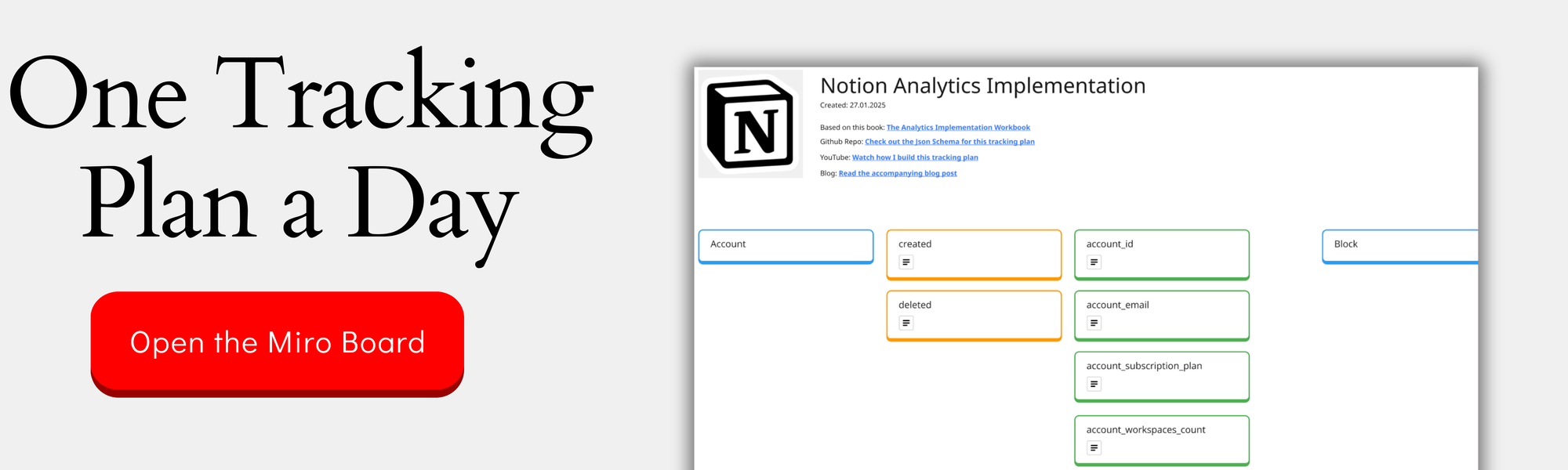
You can check out the complete design on the Miro Board:
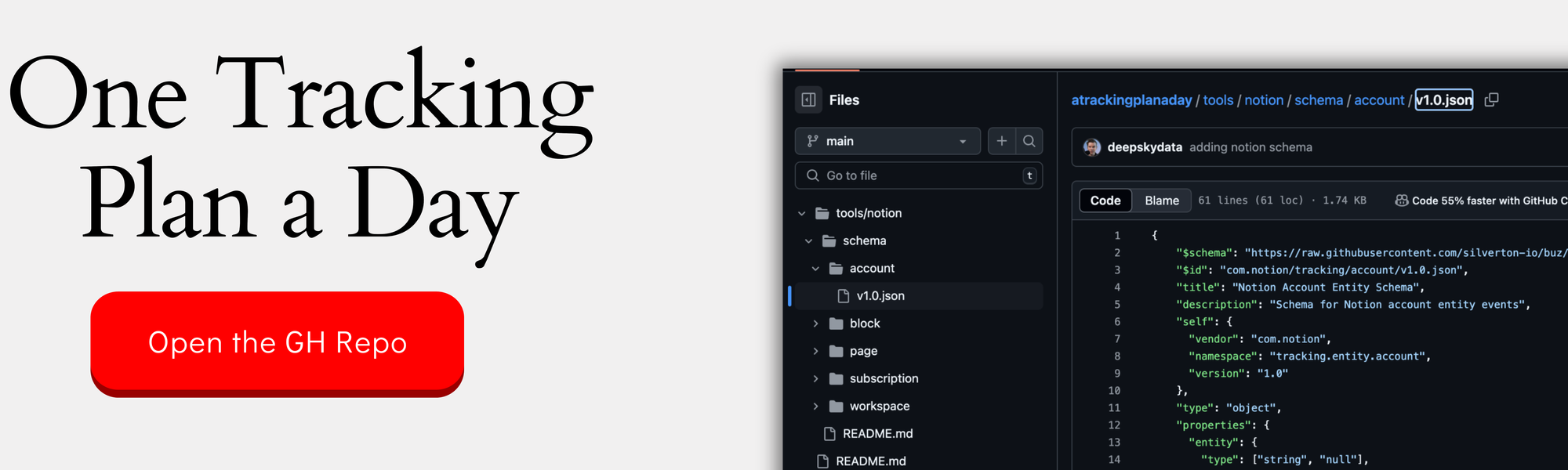
If you want the nerdy version, you can check out the JSON schemas here:
Building the Event Hierarchy: Connecting Product Actions to Customer Success
The Double Three-Layer Event Framework
When designing a tracking plan, it’s crucial to organize events in a way that makes sense both for implementation and analysis. As I mentioned in the video: “We have three different layers. We have the product layer, we have the customer layer, and we have the interaction layer.”
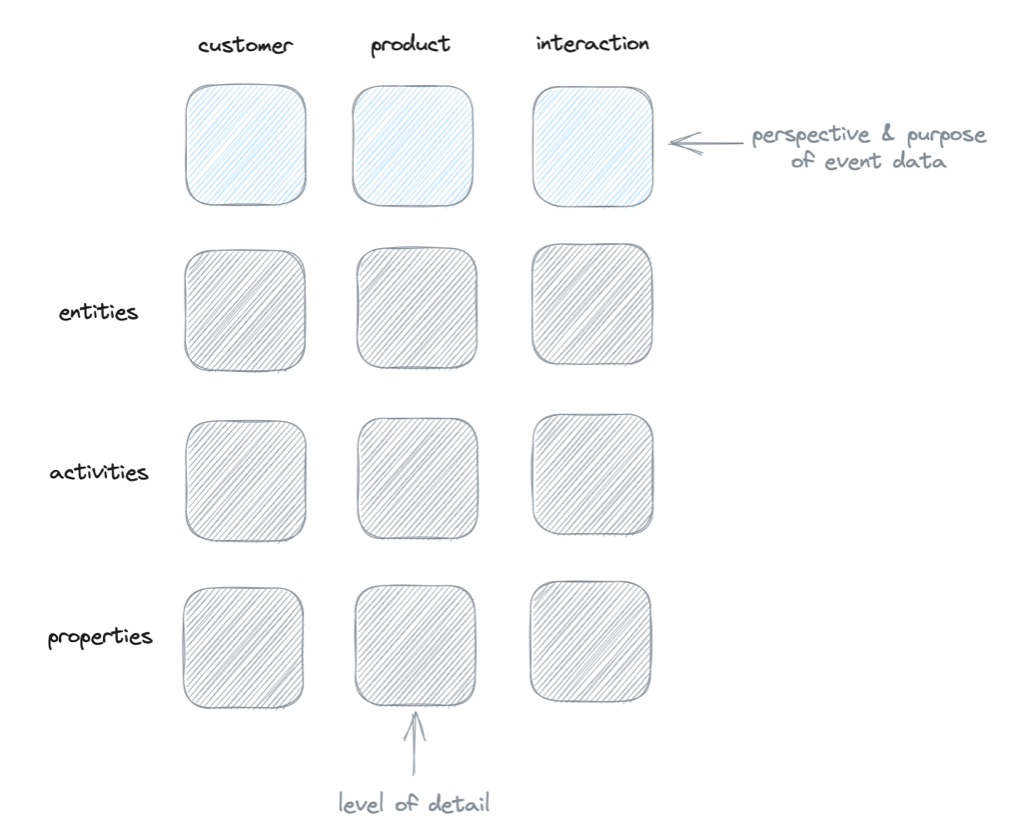
The framework breaks down like this:
Product Layer (Core Foundation):
- Entities (Account, Email Account, Email, Search)
- Activities (what happens with these entities)
- Properties (additional context for each activity)
For Superhuman, this means tracking core activities like achieving inbox zero, processing emails, and managing email accounts. Each activity carries properties that help us understand the context - like how many emails were processed or when inbox zero was achieved.
Customer Layer (Built on Product Layer):
- First value experience
- Value repeated
- At-risk identification
From the video: “The customer layer sits on top of the product layer. It’s usually built by using the product activities in a different kind of context.” For example, we combine email processing activities with inbox zero achievements to identify if a user is getting consistent value from Superhuman.
Interaction Layer (Supporting Details):
- Sits below the product layer
- Tracks specific user interactions
- Example: keyboard shortcut usage
The power of this framework is that it separates what matters (product and customer activities) from what’s just interesting (interaction data). This helps us focus our analysis on meaningful insights rather than getting lost in clicks and views.
Each layer serves a specific purpose, but they work together to give us a complete picture of how users are succeeding (or struggling) with the product.
From Individual Actions to Customer Journey
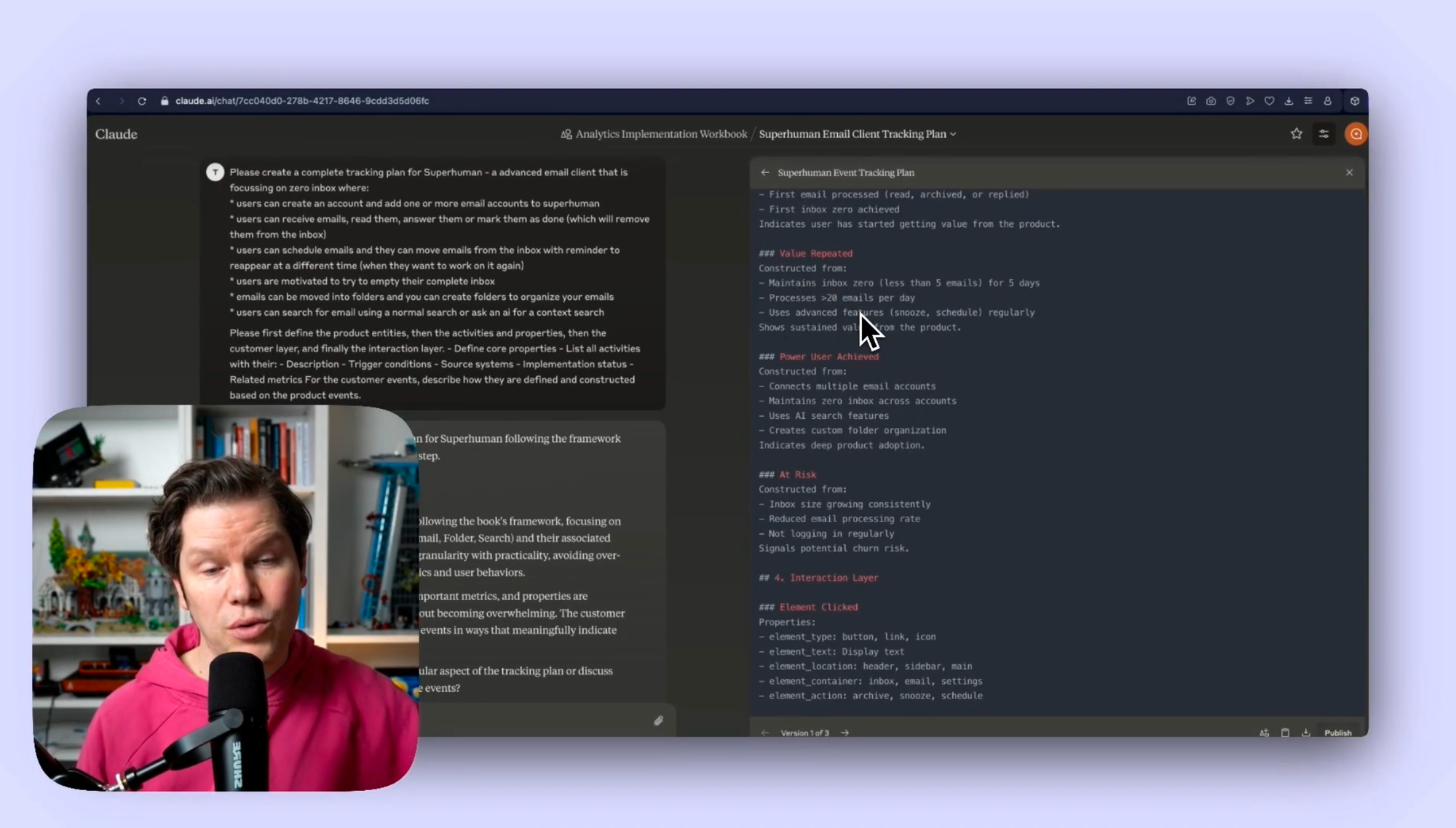
Individual events like marking an email as done or snoozing it for later might seem simple, but their real power emerges when we combine them to understand the customer journey. As I explained in the video: “We can have a customer activity, which is first value experience. And so this can be constructed by someone has connected an email account and the first email process, like read, archived, or replied, and then the first inbox zero achieved.”
Creating meaningful combinations requires thinking about:
Time Windows:
- First 7 days for initial value experience
- Rolling 7-day windows for ongoing engagement
- 6-8 week periods for identifying dormant users
Success Patterns:
- Achieving inbox zero multiple times
- Processing a healthy volume of emails
- Using advanced features regularly
Instead of looking at these actions in isolation, we create rule sets that tell us about the user’s journey. For example, a successful first-week experience might include:
- Email account connected
- At least 20 emails processed
- First inbox zero achieved
- At least one advanced feature used
These combinations help us understand not just what users are doing, but whether they’re progressing toward mastery of the product. By looking at patterns over time, we can identify:
- Users who are building strong habits
- Those who might need additional support
- Early warning signs of declining engagement
The key is to focus on combinations that indicate progress toward the product’s core value proposition. For Superhuman, this means tracking not just email processing actions, but how these actions contribute to maintaining a consistently clean inbox.
Defining Success Through Combined Metrics
Once we understand how individual actions combine into patterns, we can define clear metrics for user success. From the video: “Value repeated, we do the same thing. Here I would say this is more like an or combination. Either I maintain my inbox zero, or I process so that many emails per day, or I use advanced features regularly.”
Success metrics fall into three key categories:
First Value Achievement:
- Clear indicators that users “get it”
- Usually happens in first 7 days
- Combines basic actions with first inbox zero
Sustained Value:
- Regular inbox zero achievements
- Consistent email processing volume
- Ongoing use of advanced features like snooze
Risk Indicators:
- Declining frequency of inbox zero
- Reduced email processing activity
- Changes in established usage patterns
What makes these metrics powerful is their flexibility. A user might be successful by maintaining perfect inbox zero, or by processing high email volumes efficiently, or through a combination of both. This matches the reality that different users have different working styles.
We can use these combined metrics to create specific user segments:
- Active power users
- Developing users
- At-risk users needing intervention
- Dormant users who’ve stopped engaging
The real power comes when we connect these metrics to business outcomes. For instance, dormant users who still have an active subscription are likely to churn soon. This insight allows customer success teams to intervene before subscriptions are canceled, turning metrics into actionable business intelligence.
Turning Data into Action: Using Zero Inbox Metrics to Drive Customer Engagement
Creating Actionable User Segments
Collecting Zero Inbox metrics is just the beginning - the real value comes from turning these insights into actionable segments. As I explained in the video: “We can create a segment of users where you have two sets of definitions. Set number one looks back for 100 days, and if this user had a period where they achieved inbox zero five or more times or answered and replied to 250 or more emails, that’s criteria number one.”
Key Segments to Monitor:
Power Users:
- Consistently achieve inbox zero (5+ times per week)
- Process high email volumes efficiently
- Actively use advanced features like snooze
Developing Users:
- Recently achieved first inbox zero
- Showing increasing usage patterns
- Beginning to explore advanced features
At-Risk Users:
- Previously active but showing declining engagement
- No inbox zero achievements in last 2 weeks
- Still maintaining active subscription
The power of these segments comes from combining usage patterns with subscription status. For example, a previously active user who still pays for Superhuman but hasn’t achieved inbox zero recently represents a critical intervention opportunity.
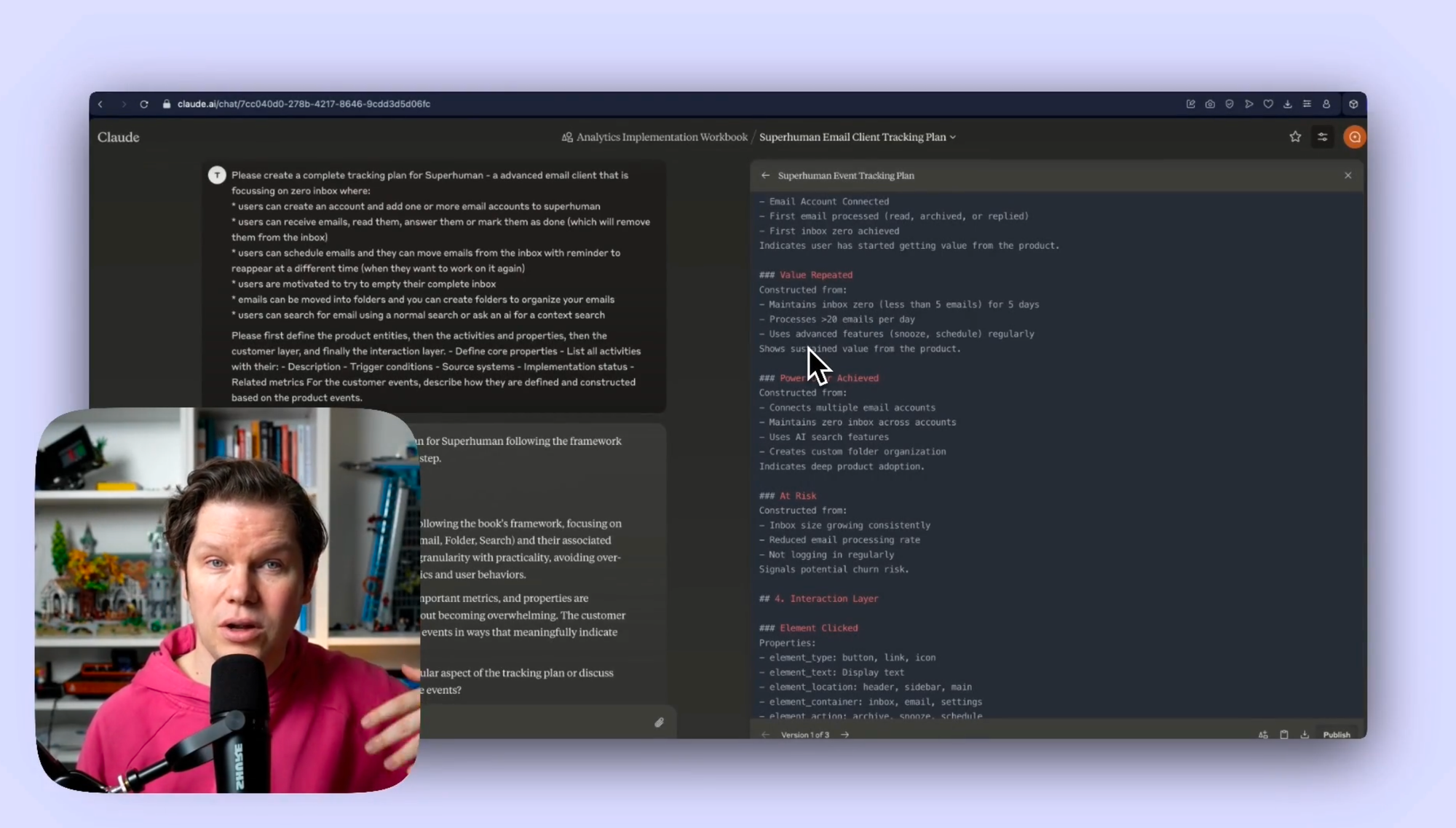
Building these segments requires thinking about:
- Time windows that make sense for your product
- Combination of metrics that truly indicate success
- Clear triggers for customer success teams
The goal isn’t just to create segments - it’s to make them actionable. Each segment should have clear next steps for customer success teams, whether that’s celebrating with power users, encouraging developing users, or reaching out to those at risk.
Designing Data-Driven Engagement Strategies
Once we have our user segments, we can create targeted engagement strategies based on Zero Inbox patterns. From the transcript: “These users have been active in the near past but have become inactive for a period of six weeks (excluding holidays or other factors). When we have this group of dormant users, we can compare them if they’re still in a subscription.”
Each segment needs its own engagement approach:
For At-Risk Users:
- Proactive outreach before they become dormant
- Tips based on their specific usage patterns
- Focus on features they haven’t yet adopted
- Timing interventions based on their last inbox zero
For Developing Users:
- Celebrate first inbox zero achievements
- Introduce advanced features at the right moment
- Share personalized productivity tips
- Regular check-ins during critical first weeks
For Power Users:
- Share advanced keyboard shortcuts
- Early access to new features
- Community building opportunities
- Recognition of their success patterns
The key is to match the intervention to the user’s journey. For instance, someone who consistently achieved inbox zero but recently stopped might need different support than someone who never quite got there.
Timing these interventions is crucial:
- Reach out while users are still engaged
- Align with their typical usage patterns
- Consider time zones and work schedules
- Factor in natural usage fluctuations
Remember: The goal isn’t just to drive engagement for its own sake - it’s to help users maintain the Zero Inbox state that makes them successful with the product. Every intervention should tie back to this core value proposition.
Measuring Intervention Success
Once we’ve implemented our engagement strategies, we need to measure if they’re actually helping users achieve and maintain Zero Inbox (and if Zero inbox is really having a strong enough impact on retention and subscription revenue). This creates a feedback loop that helps us refine our approach and maximize impact.
Key Success Metrics:
Immediate Impact:
- Return to inbox zero within 48 hours of intervention
- Increased email processing activity
- Adoption of suggested features
- Response to outreach attempts
Long-term Effectiveness:
- Sustained inbox zero achievements
- Reduced time between zero inbox states
- Movement between user segments
- Subscription retention rates
Each intervention type needs its own success criteria. For example, when reaching out to at-risk users, we might look for:
- Percentage who return to active status
- Time to re-engagement
- Duration of renewed engagement
- Prevention of subscription cancellations
The real power comes from combining these metrics to understand what works. We can analyze:
- Which interventions drive the best results
- Optimal timing for different user segments
- Most effective communication channels
- Impact on overall customer lifetime value
This isn’t just about tracking numbers - it’s about understanding what truly helps users succeed with the product. By continuously measuring and refining our intervention strategies, we create a virtuous cycle where better data leads to more effective engagement, which in turn leads to more successful users.
Remember: Success isn’t just getting users back to inbox zero once - it’s about helping them maintain this state consistently over time. Our measurements should reflect this long-term goal.
This was part 3 in our series “One tracking plan a day” Season 1 - startup tools. Make sure you visit all other parts of the series:
- Notion - 27.01.25
- Slack - 28.01.25
- VimCal - 30.01.25
- Asana - 31.01.25
- Canva - 03.02.25
- Loom - 04.02.25
- Miro - 05.02.25
- Grammarly - 06.02.25
- Replit - 07.02.25
- Hubspot - 10.02.25
- Stripe - 11.02.25
- Zoom - 12.02.25
- Ghost - 13.02.25
- Amplitude - 17.02.25
- GSheets - 18.02.25
- Lightdash - 19.02.25
- Claude - 20.02.25
- Reconfigured - 21.02.25
If you like to generate your own tracking plans by using my book with Claude AI, get your copy here:
This work is based on the chapters about event data design in my book Analytics Implementation Workbook. There, you can read more details about the D3L framework.
Join the newsletter
Get bi-weekly insights on analytics, event data, and metric frameworks.