Direct Traffic Engineering

This is the engineering side of Barbara’s blog post from just some weeks ago: Direct and Organic should not be.
I guess, if we compiled a top list of marketing teams’ issues, the high share of direct traffic would be in it and maybe even top it. We can see the cringe in the team’s face when we ask: “And how big is the share of direct traffic for you?” The pain is real.
So, this post will first make clear what direct traffic actually means and then explain different engineering techniques to fix the problem (well, as far as it is fixable).
What is “direct” traffic?
We will not write “direct” here all the time within two “”, it’s uncomfortable to read. But it is the right callout for this term.
Explaining what direct means is something I have done since I started working with Google Analytics in 2006. Because, screw the person who came up with it and made it an industry standard (yes, I believe you it was by accident). Hours (if we sum it up, probably months) have been wasted explaining the meaning.
The direct channel classification in GA and henceforth in any analytics tool, means technically: we have no idea where this user came from. It means, we did not see any UTM parameters, we did not have any referrer information. This user (aka device) came with no information that would tell us where they initially came from. So to make it sound nice, we just pretend this user typed the URL of the website directly (here we have it) into their browser and accessed the website.
The right name for this channel would be “unknown”, but that doesn’t sound that great. So it was called direct, to confuse generations of digital workers.
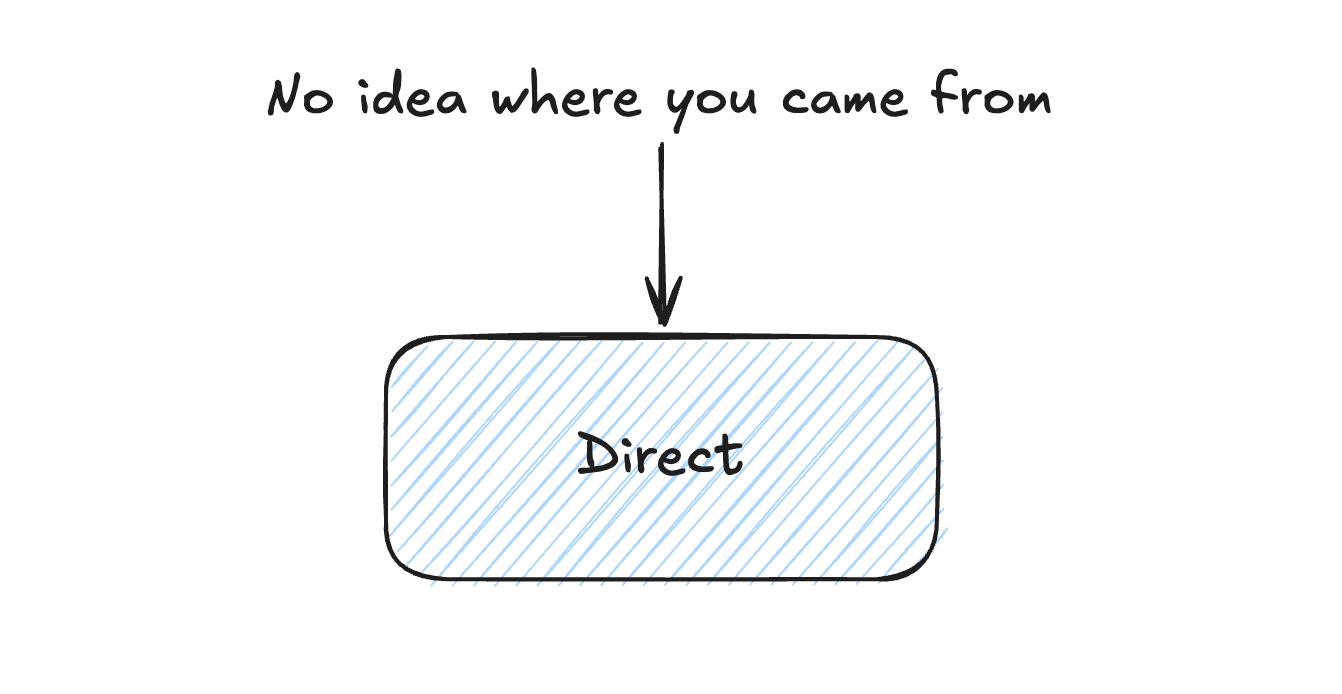
When an analytics tool classifies a channel for a session it goes through a simple decision tree. Can we see any ad identifiers like GCLID? → CPC, any UTM parameters → campaigns, referrer information with a search engine → organic, other referrer information → referral, still here → direct. So direct is the final bucket of the decision tree where the unidentified rest ends up.
What creates “direct” traffic?
OK, to be fair. If you go into your browser and start typing a domain, hit enter and access the website this way, you will not have ad identifiers, you will not have UTMs and you don’t have a referrer value. You only have this if you click on a link that leads to your website. So this scenario would put you into direct and if it would be the only scenario where this happens, direct would be a good term.
But it is not.
So, ending up in the direct bucket means: no ad identifier, no UTMs (or similar page parameters), no referrer. Unfortunately there are plenty of scenarios where this can happen. Let me give you some examples:
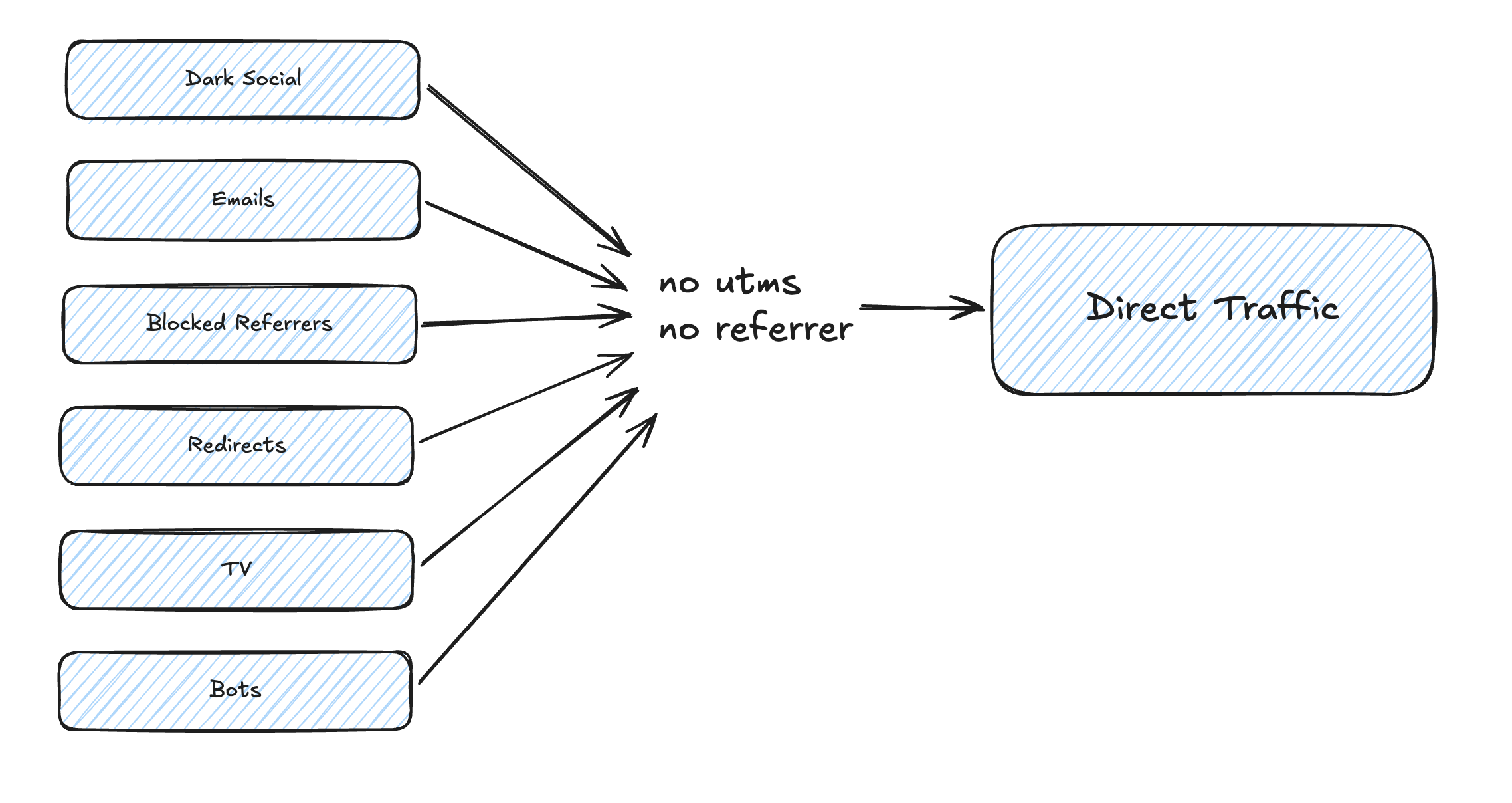
Dark social - Someone posts a link to your website in a WhatsApp group. When someone clicks this link, it will open a browser (in app or on the device). In this scenario, none of the identifiers are present since no referrer will be set. Every time a link is clicked in a mobile app no referrer information is present, so you need to hope that there is a UTM or an ad identifier present. And it’s a rare case that someone will add these to a WhatsApp link. One of the reasons why you set UTMs when you add a share button on your website (and hope that no one removes them, which I always do, bad boy, I know).
Hasty social media team - same scenario like above. Social media team posts on any social media platform but forgets to use UTM parameters: massive direct traffic. I had this once, where a team proudly told me about their amazing brand presence because of 75% of direct traffic, which turned out to be the social media team running social media without any UTM parameters.
Emails, newsletters and transactional - if you miss the UTM parameters for the links pointing back, you will get no referrer if people are using classic email clients and a web version. At least newsletter platforms offer automatic attachment of UTMs to links. But you need to remember to use them.
Blocked referrers - this one is more exotic but I came across it. You can configure your website server so that it does not provide any referral information or only provides a reduced set.
Redirects - redirects in any way can be an evil business. They are often required but cause not only SEO teams a headache but also the data teams. A redirect can easily forget the UTM parameters and referrers (it means you have to explicitly enforce that they get passed on).
TV or anything else offline - when you push visibility on offline channels and don’t use campaign domains or landing pages, you will see an increase in direct as well. Technically this is a brand signal, but actually it is the TV impact that you would love to track as such.
Bots - sure, you hope your analytics tool will take care of it. But in my experience that is not guaranteed. Bot adjustments are not an automation and need to be maintained in your analytics tool.
At a time when we were all using desktop computers and used Google Search to look for things and kicked off our web journeys, all was good - referrer information or ad identifiers. But our usage has changed drastically and it started to change again with AI. At least OpenAI adds UTM parameters to their links, but Claude does not. Setups we are working with have 50% and up shares of direct traffic.
Why is this even a problem?
What is the problem with “direct” traffic for marketing
One core job of marketing teams is to drive potentially new customers to your websites and apps. And with driving we actually mean scaling. We all want to hit our growth goals. So marketing teams need to drive more “good” traffic to the websites. “Good” means here, that they convert in reasonable numbers and most importantly that they can scale.
Even if direct would mean only people typing in your URLs in a browser, they are a marketing team’s nightmare, because they can’t scale it. Scaling means, you increase your budget by 50% and you get more traffic and more conversions.
When direct actually means some social media platforms, then it looks non-scalable from the outside, while it would actually be scalable.
When your setup has a 50% or more share of direct traffic, it means that half or more traffic can’t be scaled. Not a happy place to be.
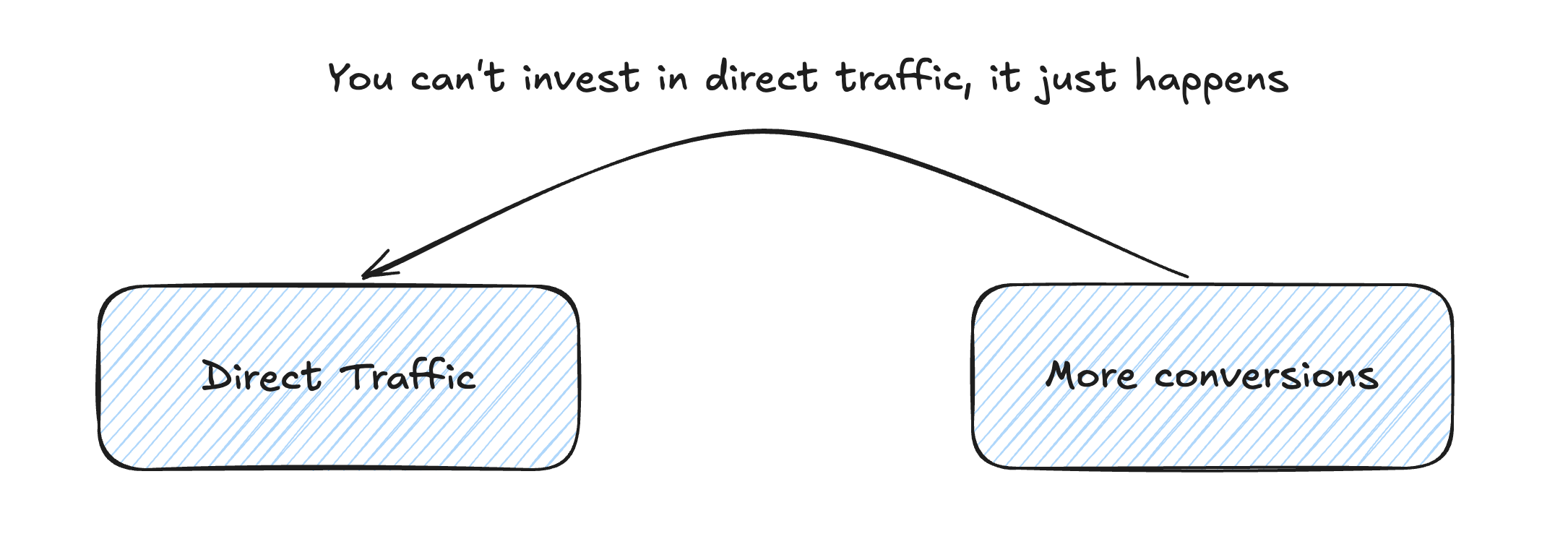
So the whole conversation turns to: How can we classify direct traffic that is potentially not direct traffic to turn it into scalable traffic information.
And this is what I call direct traffic engineering.
Direct traffic engineering
The engineering task here is to see how we can take traffic that is missing information and find some other context information that would allow us to change this traffic from direct/unknown to something more telling.
Disclaimer: there is no engineering method that will magically reclassify all direct traffic or a huge chunk, we are talking about increments here. Any tool that will claim differently is highly overpromising (usually by using any black box that lets it look like a very precise method).
Which of these methods will reclassify more, you need to test. It is very individual for any setup. We check the typical user journeys and marketing mix to have a candidate list we would implement.
Landing pages tell you something
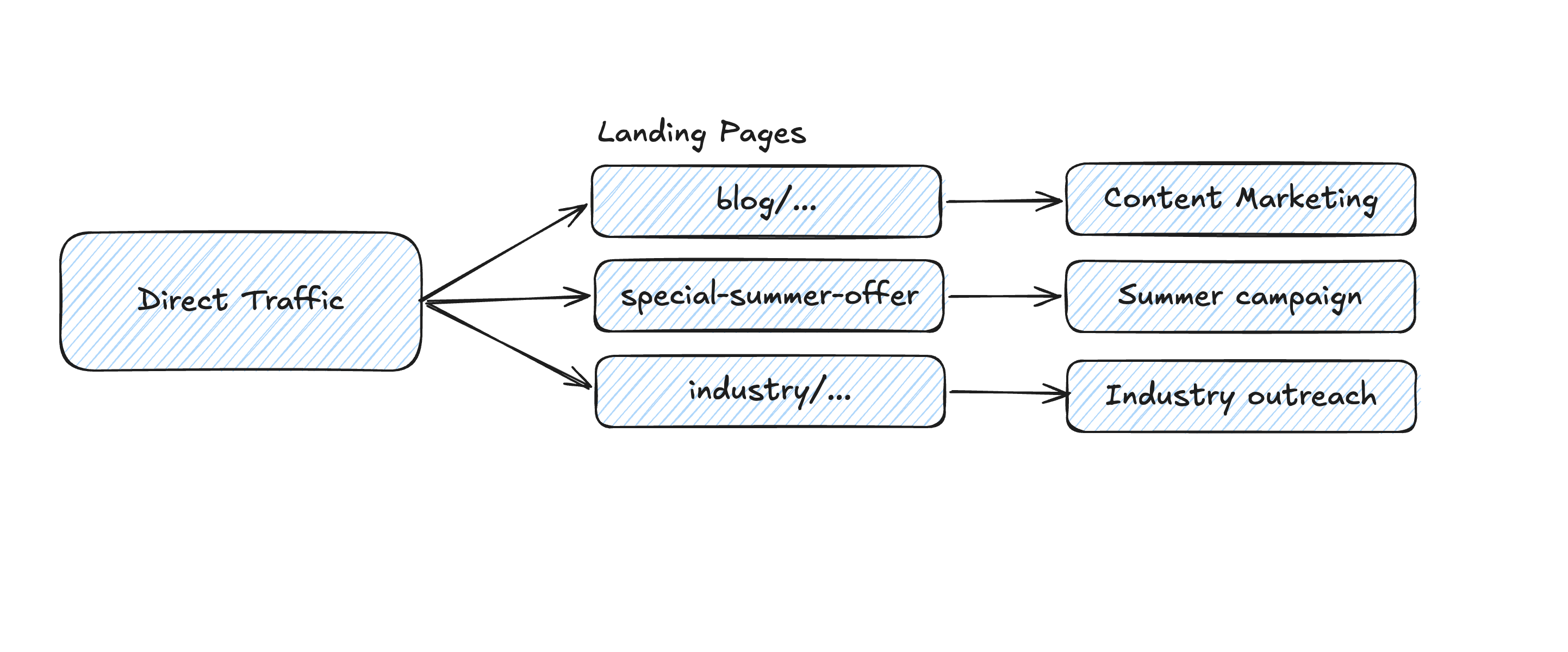
This is kind of an old trick, if you are old enough to have experienced the removal of SEO data from Google Analytics. Yes, there was a time, where you could see the keywords people were using before coming to your website in the referral data. Google quite quickly got rid of it to strengthen AdWords (which gave you keyword level data). This was a huge blow to early analysts. So we tested proxies extensively. And one was landing pages. Since you usually create pages to push specific keywords, you could assume that when someone lands from a search engine on this page she might have used a keyword this page was optimized for. Well, better than no context.
We can apply similar techniques to categorize direct traffic. When users do not land on your homepage, there is a likely chance that they were not just typing in a URL, but clicked a link somewhere without any source information. Well, it will not let you reassign a different channel, but it tells you which of these pages are creating more direct traffic and lets you develop assumptions from it.
Hello, user agent
User agents are older than any analytics. Wikipedia defines it as “The user agent is the client in a client-server system. The HTTP User-Agent header is intended to clearly identify the agent to the server.” This means whenever a client is accessing your website it will have this header to identify itself. Most of the time this client is your browser.
A user agent can look like this:
Mozilla/5.0 (iPad; U; CPU OS 3_2_1 like Mac OS X; en-us) AppleWebKit/531.21.10 (KHTML, like Gecko) Mobile/7B405This is the user agent Safari would send when used on an iPad. And as you can see it is quite telling. The Mozilla part is a bit misleading, more important is AppleWebKit (which tells you the Safari part). It also tells you on what kind of device it was running.
Analytics tools use this to classify desktop vs. mobile, but also the browser reports you can access. Now here comes the nice part. If you use the Instagram app and click on a link, it will open it in an in-app browser. Nothing special about it? Well, the user agent will look like this:
Mozilla/5.0 (Linux; Android 16; Pixel 10 Pro Build/CP1A.260405.005; wv) AppleWebKit/537.36 (KHTML, like Gecko) Version/4.0 Chrome/148.0.7778.176 Mobile Safari/537.36 Instagram 431.0.0.0.43 Android (36/16; 420dpi; 1080x2410; Google/google; Pixel 10 Pro; blazer; blazer; en_US; 973869871; IABMV/1)Oh, look at this. Can you see the Instagram?
So, if you have direct traffic coming in with this user agent, it tells you that they are accessing your website coming from Instagram. Like the good old referrer. This works for any app that uses an in-app browser and does proper user agent naming.
Only problem here - GA4 does not expose the user agent by default in the BigQuery export. You need to read it out and track it as property (other analytics services usually have the user agent out of the box in their exports).
Identity stitching
Identity stitching is its own topic, but well-maintained identity stitching can help to re-qualify direct touchpoints. The simplest example of it is the old Google Analytics attribution model last-non-direct. This means you go beyond direct touchpoints until you find a non-direct one. This is something you can implement for yourself as well.
The better you do with capturing an identity the more powerful this stitching approach gets.
QR codes, vanity URLs and discount codes
Discount codes, or as Barbara would say, the oldest attribution model around, are good tools to enrich otherwise direct touchpoints. A QR code or a vanity domain/URL (summersurprise.com) can be effective to capture otherwise direct traffic when you can point it to one channel (like you use one domain for out of home and a different one for radio spots).
Timings
This one is fuzzier but still worth the effort, if this is a significant strategy. Let’s take the obvious example: TV. When you run TV campaigns you will increase the traffic (at least that is what you will hope). There is a brand impact that builds up over time. But there is always an immediate signal. Especially when you run specific offers. Assuming that people will type in your brand name, you will see an increase in direct and organic brand traffic (the one that lands on the homepage). With historic data present you can run an uplift analysis by looking at the spot timespans and a window around it to determine a percentage of uplift that you could assign to direct traffic (and flag it as TV).
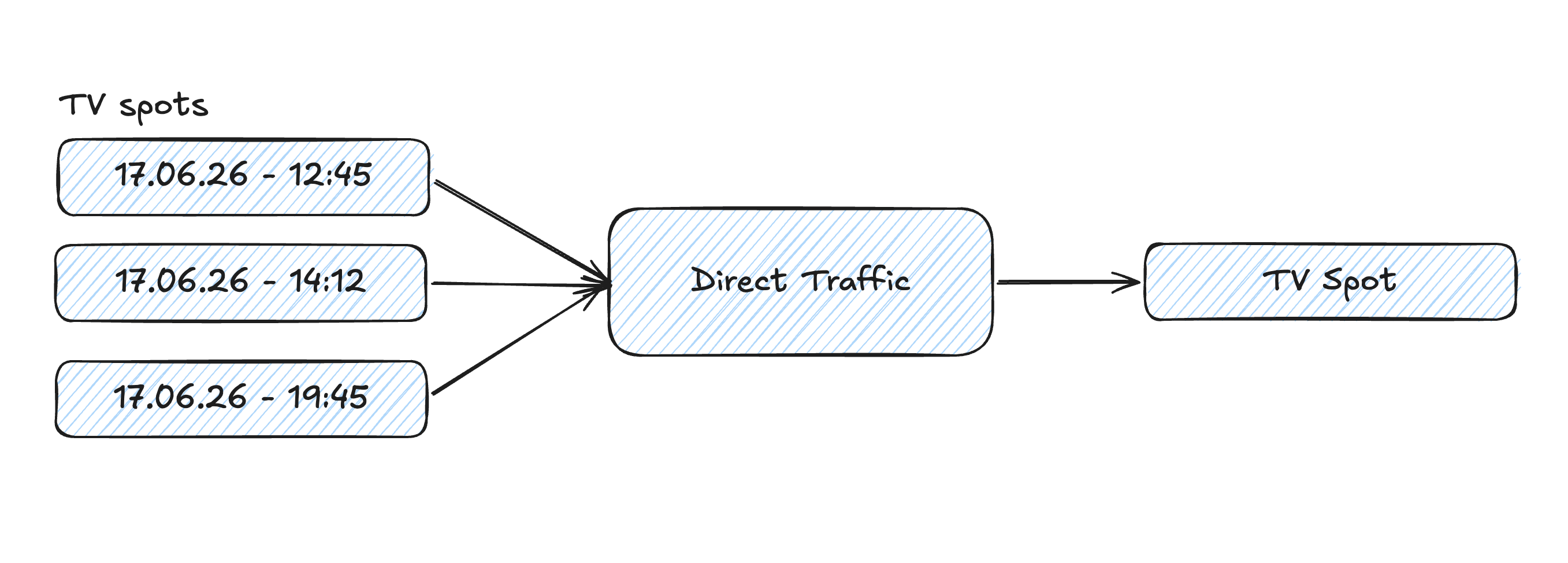
But you will inherit a fuzzy signal. Let’s say you know that you have an uplift by 40%. So you would attribute 40% of direct traffic in this time window to TV. But you will of course not know which sessions are TV then. So measuring accounts with TV impact will not be possible, but only on an aggregated level.
The same can work for other offline channels. Like an out of home campaign you run in a specific city by measuring uplift in direct and brand organic within this Geo range.
Strategic work
Yes, we don’t only talk about implementation here, 50% of good engineering is strategy.
Strategy 1 - control the links you own
I mentioned this example before, when you don’t add UTM parameters to links you post on social media, you will earn direct traffic. Simple as that.
The nasty thing is that this is foremost a discipline topic. But there are ways you can implement to improve it.
Use a scheduling tool. I won’t make any recommendations but all tools I have used had the option to automatically add UTM parameters to links you add in your posts.
If you don’t use such tool, create a monitoring script that pulls all your posts and checks the links for UTMs. And alert your marketing team when the UTM discipline is declining.
Strategy 2 - How do you hear about us during registration. Sure, the user won’t tell you which ad and keyword combination brought them here. But we are looking for anything more specific than direct. Follow the best practices for the setup (free text v options - rotation).
How to make it work
If you asked yourself during that post: “Sounds great but how do I get it into my analytics tool?” - sorry, you don’t.
Direct traffic engineering only works when you have 100% control over the data. This means you need it in a data warehouse and ideally have a proper data model that can bring the different tactics together in the right way.
I did two sessions on this topic some time ago. You can rewatch them here:
What can you expect and is it worth the work?
Don’t expect any wonders without putting in the work. In setups we build we achieved good results getting a 50% direct rate down to 5%. But none of these results came overnight and with 1-2 simple hacks. We apply the methods we laid out here, test them and most importantly fine tune them. It always comes down to a really good understanding of the marketing strategy and the user journey. Only this lets you discover the right refactoring rules for direct touchpoints and refine them over time.
It is one part of your marketing measurement strategy.
Join the newsletter
Get bi-weekly insights on analytics, event data, and metric frameworks.